If your e-mail client is not capable of showing HTML messages, you can view this message by using the following link:
http://www.01com.com/newsletter/june10/june10.htm

Secure Remote Access
Remotely access your PC from any computer or wireless device in the world with I'm InTouch. Run programs, transfer files, print documents, read and send emails, and everything else you would normally do on your computer, no matter where you are.
Contact us at 1-800-668-2185 /
1-905-795-2888 to learn more
about I'm InTouch.

Win a FREE SecureKEY!
Tell us how you use I'm InTouch
and enter to win a FREE SecureKEY! 

You must be an existing subscriber of I'm InTouch to enter. Please include your Serial Number, name and telephone number with your contest entry.

Send all entries to marketing@01com.com

Follow us on:

www.remoteaccessinfo.com
Visit 01 Communique's new blog for all the latest remote access news and information.


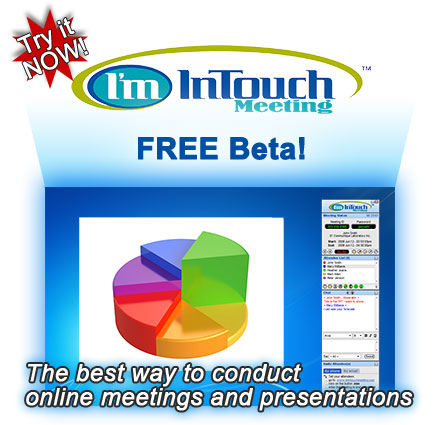
The Free I'm InTouch Meeting beta is ready! Start conducting online meetings today right from your computer by inviting your co-workers and customers to share your desktop. I'm InTouch Meeting is the ideal collaborative solution that enables you and your employees to be more productive.

Sign-up for the FREE I'm InTouch Meeting Beta

What is a beta?
The I'm InTouch Meeting beta is a pre-release version of the solution that is available for public testing before the final product is released. Through public testing, we can evaluate how the product performs in "real world" environments and collect valuable feedback from you. There is no obligation to subscribe to the service when it is officially released.

I'm InTouch Meeting Beta features includes:

  • Real-time screen sharing
  • Support for up to 15 attendees
  • File transfer
  • Remote printing
  • Text chat
  • White board (drawing tools)
  • Attendee's access rights controls
  • Administrative / statistics tools
01 Communique thanks you for testing our I'm InTouch Meeting beta and appreciates any comments and feedback. As a participant, you can share your ideas, and together, we can create the best products possible. To send us your I'm InTouch Meeting beta feedback and/or findings, please click here.
Sign-up today to take part in the I'm InTouch Meeting Beta.

Technical Support Manager Stays InTouch From Anywhere

"I'm InTouch is great! I use it to connect to my desktop from my job. I am currently a student and working a full time job. I often have downtime at work and I am able to write my papers without having any word processing software on the machines. I don't have to worry about corrupted data when transferring documents back and forth from web storage since it's all on my machine at home. I searched for hours for some practical way of doing homework at my office, installed many products that just didn't work, and then I found I'm InTouch. It solved all of my problems and is super easy to use. Thank you!"

Peter Marchione

Contact us today at 1-800-668-2185, sales@01com.com or visit www.imintouch.com to learn how I'm InTouch can help you.

Q. How do I host a meeting in I'm InTouch Meeting?

Hosting a meeting is simple with I'm InTouch Meeting.

  1. Go to www.imintouchmeeting.com in your web browser.
  2. From the "Host a meeting" section, enter your account name and password, select the "Host an instant meeting" option and click "Login".
  3. After logging in, the Temporary Host Application will automatically be downloaded and installed on your PC (please enter “Yes” or “Grant” if your browser is asking for permission to download the Temporary Host Application).  Your I’m InTouch Meeting session will start and the Presenter Control Panel will be displayed on your PC.  Attendees can now join your meeting session.  You may also send invitation email out or call to invite Attendees at this point.

Contact us at 905-795-8166 or help@01com.com with any questions.

To learn more about I'm InTouch, visit our web site at http://www.imintouch.com
To learn more about I'm InTouch Meeting, visit our web site at http://www.imintouchmeeting.com
To learn more about I'm OnCall, visit our web site at http://www.imoncall.com


01 Communique, 01 Communique Logo, and I'm InTouch are trademarks of 01 Communique.  
All other products are trademarks or registered trademarks of their respective owners
If you do not wish to receive e-mail from us in the future, click on the Remove Me link below.
Remove Me Privacy Policy
If your e-mail client is not capable of showing HTML messages, you can view this message by using the following link:
http://www.01com.com/newsletter/june10/june10.htm