
top image
header image
top left background

free trial center I'm InTouch trial I'm InTouch Meeting trial I'm OnCall trial

follow us

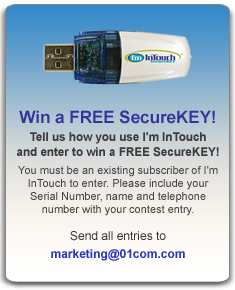
securekey offer

marketing

I'm InTouch Meeting Won Again!!

Competitive Upgrade

I'm InTouch Meeting won the 2011 Internet Telephony Product of the Year Award.

Technology Marketing Corporation's (TMC) Internet Telephony Magazine has named I'm InTouch Meeting as a recipient of the 2011 Internet Telephony Product of the Year Award.

The editors of Internet Telephony Magazine have verified that I'm InTouch Meeting displays quality and innovation plus it provides real solutions in the marketplace.

<Read Article>

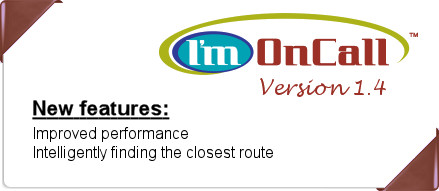
I'm OnCall v1.4 now available!!

Competitive Upgrade

Released on Feb 15, 2012 this version of I'm OnCall is the fastest. In addition to speed improvement, it has better handling of the multi-monitor scenario. It also has better handling of computers behind Internet gateway.

Not an I'm OnCall user yet? <Try it FREE for 14 days!>

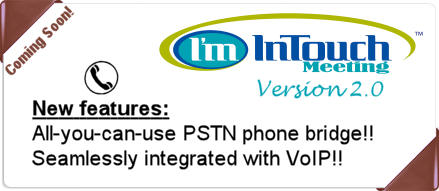
I'm InTouch Meeting v2.0 coming soon!!

Competitive Upgrade

I'm InTouch Meeting v2.0 will take online meetings to the next level by including an all-you-can-use PSTN phone bridge integrated with built-in VoIP audio chatting. This means the meeting moderator and the attendees are able to talk using both the phone and/or the Internet VoIP. Of course sharing the presenter's screen on a real-time basis too.

Not an I'm InTouch Meeting user yet? <Try it FREE for 30 days!>


Interested in Partnering with 01 Communique?

We offer a Channel Partner Program that is built on revenue gains, innovation, and opportunities for advancement. Our Channel Partner Program lets you decide the level of participation that is most appropriate for your business and provides the highest return based on your value proposition. We have set the stage for success that supports you at every step, from pre-sales to field support.  Working together, we can continue to focus on creating innovative solutions that drive profitability and sustain a competitive edge!

To learn more about the Channel Partner Program, please contact us, via email: marketing@01com.com or give us a call: 703.224.8262.


help desk logo

Q. How can I setup and use the Remote Printer feature?

You do not need to setup your Remote Printer. When you install I’m InTouch on your host computer, it will automatically install the “I’m InTouch Remote Printer” that will allow you to print locally any document located at the host machine.

To use it, simply:
1) Start an I’m InTouch remote control session with your host machine.
2) Open the document you would like to print.
3) Click on the Print button and from the list of available printers, select “I’m InTouch Remote Printer” and then OK.
4) At your local computer (the one you are using to access your I’m InTouch computer), you will be asked to select the printer that you want the document to be sent to.
5) Select the printer and then click OK.


To learn more about I'm InTouch, visit our web site at http://www.imintouch.com
To learn more about I'm InTouch Meeting, visit our web site at http://www.imintouchmeeting.com
To learn more about I'm OnCall, visit our web site at http://www.imoncall.com

01 Communique, 01 Communique Logo, and I'm InTouch are trademarks of 01 Communique.  
All other products are trademarks or registered trademarks of their respective owners
If you do not wish to receive e-mail from us in the future, click on the Remove Me link below.
Remove Me Privacy Policy

bottom
twitter facebook linkedin youtube Google Buzz MySpace Flickr