Visit the New 01com.com
01 Communique's main page www.01com.com has been revamped for easier navigation.
|
Win a FREE SecureKEY!
Tell us how you use I'm InTouch
and enter to win a FREE SecureKEY!
You must be an existing subscriber of I'm InTouch to enter. Please include your Serial Number, name and telephone number with your contest entry.
Send all entries to marketing@01com.com

|
Follow us on:


www.remoteaccessinfo.com
Visit 01 Communique's new blog for all the latest remote access news and information.
|
|
|
| |
|
|
|
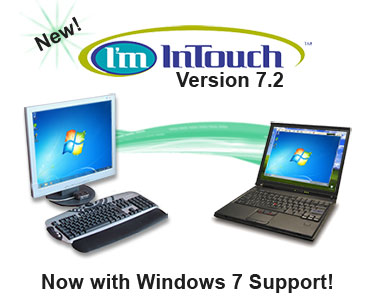
I'm InTouch 7.2 includes full support for the new Windows 7 operating system (32-bit and 64-bit) providing you with even greater flexibility for remotely controlling your PCs. Whether you want to install I'm InTouch on your new Windows 7 computer or access your PC from a computer with Windows 7, you can rest assured that I'm InTouch will work flawlessly.
Cutting-edge security!
I'm InTouch 7.2 is now enhanced with the new 256-bit SSL encryption. Building on previous versions' 128-bit SSL, 256-bit encryption provides even greater security ensuring your remote access session stays completely private.
The fastest remote access!
Take remote control of your PC in seconds with the improved connection speeds in I'm InTouch 7.2. You can now login and take remote control of your distant computer's desktop faster than ever before.
Upgrade today!
Current I'm InTouch subscribers can upgrade to version 7.2 for free by right-clicking the green I'm InTouch satellite in their system tray and selecting "Run Update Now". New users can try I'm InTouch 7.2 free for 30-days by clicking here.
|
Contact us to learn more about this exciting new release of
I'm InTouch: 1-800-668-2185
or sales@01com.com |
|
|
 |
Small Business Owner Stays InTouch
|
|
|
 “When I am on the road or traveling I need access back to my home office so I was looking for a way to remotely connect to my computer at home. I have a router as part of my home network and did not want to compromise my security. During my search I found I'm InTouch, and this solved the problem. With I'm InTouch, my connection is reliable and effective anywhere! My experience with VPNs has been that they are slow - I'm InTouch is faster! The remote control feature is superb and I am very happy to be using it!” “When I am on the road or traveling I need access back to my home office so I was looking for a way to remotely connect to my computer at home. I have a router as part of my home network and did not want to compromise my security. During my search I found I'm InTouch, and this solved the problem. With I'm InTouch, my connection is reliable and effective anywhere! My experience with VPNs has been that they are slow - I'm InTouch is faster! The remote control feature is superb and I am very happy to be using it!”
Francesco Magliarditi, Small Business Owner, Messina-Italy
|
|
|
|
|
Q. What is the difference between my "Account login" password and remote access login passwords?
The "Account login" password is used to access your "List of Computers" screen and online billing account from www.imintouch.com. It can be changed by logging in to your online account from www.imintouch.com, clicking the "My Account" tab, and then selecting the "Login info" page.
The remote access login passwords are used for authentication when remotely accessing a computer with I'm InTouch installed. These passwords can be changed from the computer with I'm InTouch installed by double-clicking the green satellite in your system tray, and selecting the "User Information" tab.
|
|