If your e-mail client is not capable of showing HTML messages, you can view this message by using the following link:
http://www.01com.com/newsletter/dec10/dec10.htm

header image
top left background

free trial center

follow us


Win a FREE SecureKEY!
Tell us how you use I'm InTouch
and enter to win a FREE SecureKEY! 

You must be an existing subscriber of I'm InTouch to enter. Please include your Serial Number, name and telephone number with your contest entry.

Send all entries to marketing@01com.com

I'm InTouch 7.3 released
Our Fastest Remote Access Ever!

The new I'm InTouch 8.0 is so fast you have to see it for yourself. Take remote control of your distant PC from anywhere and work on it just as if it was in the room with you. If other remote access solutions have let you down in the past, try I'm InTouch today and experience the difference!

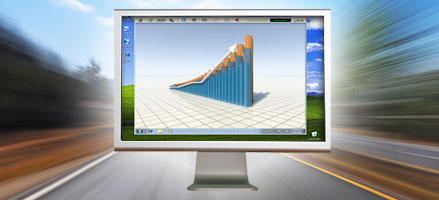
I'm InTouch screenshot

Faster Remote Access
I'm InTouch 8.0 lets you remotely control your PC just as if you were sitting at your distant computer. Our enhanced technology allows you to work faster without the frustrating pauses and delays of other remote access solutions.

Outlook 2010 Support
New support for Outlook 2010 allows you to remotely access your desktop Outlook from any Internet connected device with a browser to stay connected from anywhere in the world. Read and send emails with attachments, check your calendar, and have access to all your contacts no matter where you are.

New to I'm InTouch? Try version 8.0 FREE for 30 days and see why it is the perfect remote access solution for you.

Current I'm InTouch subscribers, right-click the I'm InTouch green satellite icon in your system tray and select "Run Update Now" for your FREE upgrade.

grey divider
I'm InTouch Meeting: A Great Way to Conduct Online Training

If your organization is always bringing employees in from all over the world for meetings to introduce new products, software, policies, or teach operators a new safety procedure to meet regulatory requirements, why not use I'm InTouch Meeting and conduct training sessions online. Instructors can quickly set-up online meetings that employees all over the world can attend using their computers. Instructors can run presentations, demonstrate how to use new software programs, and teach new policies right from their desktop computers and laptops.

Watch the video below to learn more:
play video

Try the FREE I'm InTouch Meeting Beta Today

grey divider
help desk logo

Q. Can a computer be included in more than one I'm InTouch List of Computers group?

Yes, you can now include your PCs in more than one List of Computers group in I'm InTouch for easier organization and control. Simply:

  1. Login to the main I'm InTouch administrator account consisting of all your PCs and login IDs at www.imintouch.com.
  2. Click the Add/Edit option beside the Group combo box at the top of the page.
  3. Create a new group name and then click Save and Close.
  4. Click the check box next to the nickname of the computer that you want to assign to this group and click the settings/activate option.
  5. Click the +- button next to Group Membership combo box, and choose the newly created group from the selection box and click Add. Then click Save and close.
  6. Click the Save button to finish.
  7. Repeat steps 4-6 for all the PCs you wish to add to this group.
  8. The list of these computers will be available when logging in with the IDs for each of the PCs that belong to that group.

Learn more about I'm InTouch at www.imintouch.com.

spacer
To learn more about I'm InTouch, visit our web site at http://www.imintouch.com
To learn more about I'm InTouch Meeting, visit our web site at http://www.imintouchmeeting.com
To learn more about I'm OnCall, visit our web site at http://www.imoncall.com

grey line 01 Communique, 01 Communique Logo, and I'm InTouch are trademarks of 01 Communique.  
All other products are trademarks or registered trademarks of their respective owners
If you do not wish to receive e-mail from us in the future, click on the Remove Me link below.
Remove Me Privacy Policy
If your e-mail client is not capable of showing HTML messages, you can view this message by using the following link:
http://www.01com.com/newsletter/dec10/dec10.htm
I'm InTouch Meeting beta sign up twitter facebook linkedin youtube Google Buzz MySpace Flickr I'm InTouch trial I'm InTouch Meeting trial I'm OnCall trial